When people ask how to make iPhone photos look like a digital camera, they rarely mean a DSLR. They mean the small point-and-shoots people carried around 2003, the cameras behind a lot of that decade's party photos. I make a camera app for this look, Halfpress, so I'm biased. That's why the no-app method comes first below, and why the three photo pairs in this article come from the same iPhone and the same spot, a minute apart.
What the 2000s digicam look is made of
When I built Halfpress, I had to pin the look down to things a phone can change. Five of them do most of the work.
- The built-in flash sits right beside the lens, so it lights whatever is closest and lets the background fall away into dark. A lot of what people call digicam photos are flash shots taken indoors or at night.
- Nights stay dark in the digicam look, with a black sky and lights that stand out against it. A recent iPhone brightens night scenes instead, sometimes until the sky turns grey.
- The color came from the camera more than from the scene. Alchemy Color compared CCD and CMOS sensors and found them much alike at turning light into a signal. The difference it points to is the color science each maker wrote into its cameras' JPEG engines.
- Bright things glow, and detail stays soft. Signs and lamps bleed a soft halo into the dark around them, and fine detail looks less crisp than it does on a phone. Color, grain, glow and softness are the four things the Halfpress look changes.
- The date goes in the corner. Some compacts could print the shooting date into the lower right of the frame. Canon called the setting Date Stamp and Sony called it Write Date, and not every model had it.
You'll often see these called CCD cameras. Lens Lurker dates the switch to CMOS sensors to around 2007, so the label fits the era, but the five things above are what shows up in the photos.
Same iPhone, same spot: the Camera app vs a digicam app
I took these on October 29, 2026, on one iPhone. For each pair I stood in one spot and shot with the Camera app first, then Halfpress, within the same minute. I blurred faces and number plates.
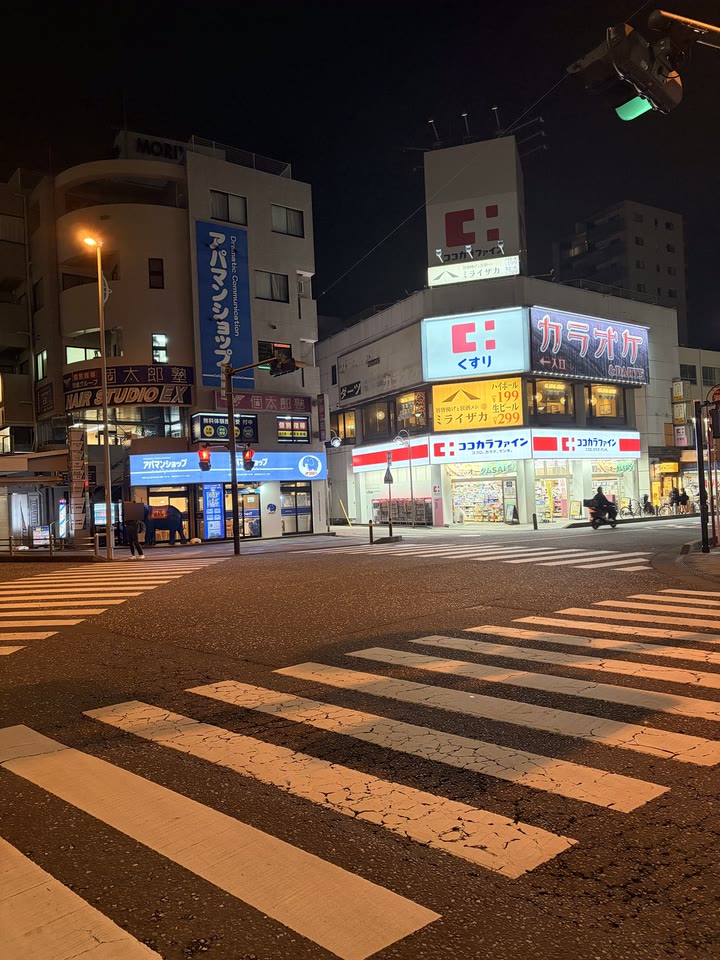
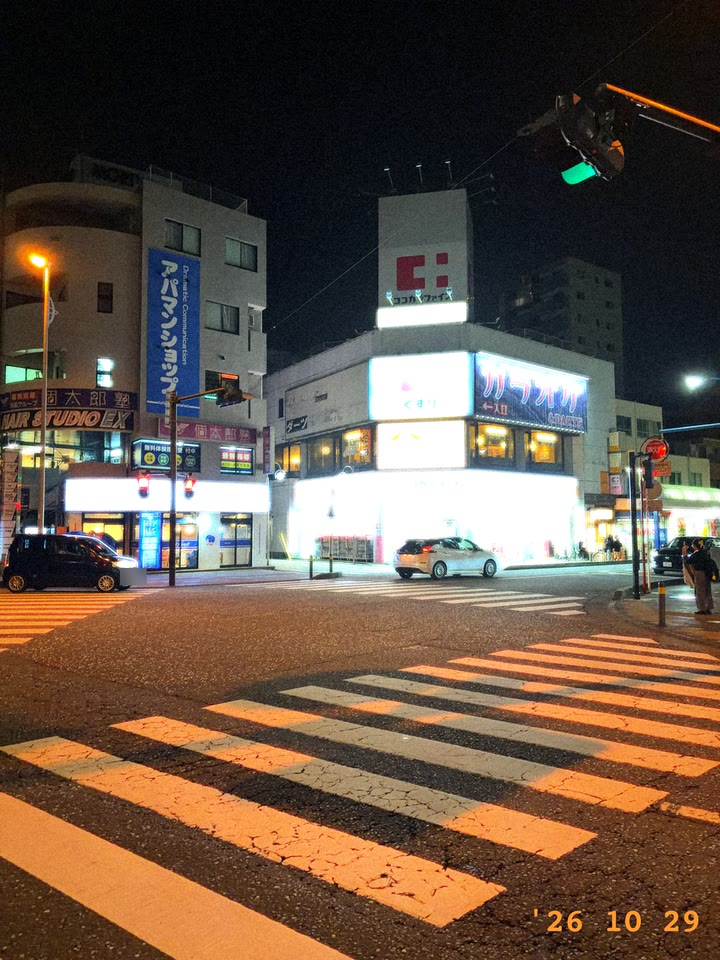
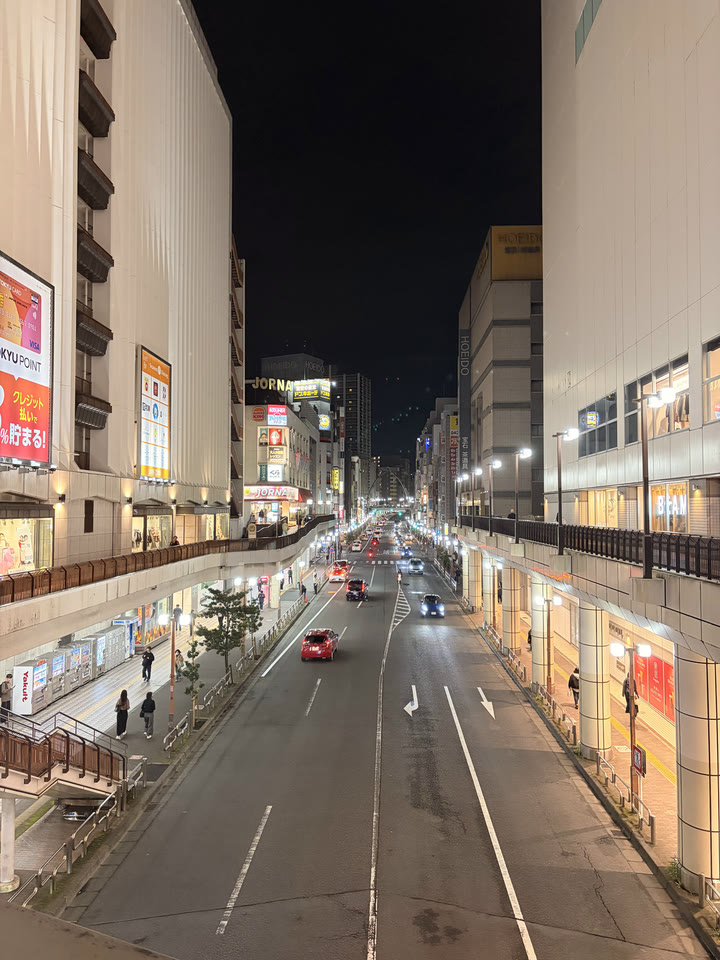
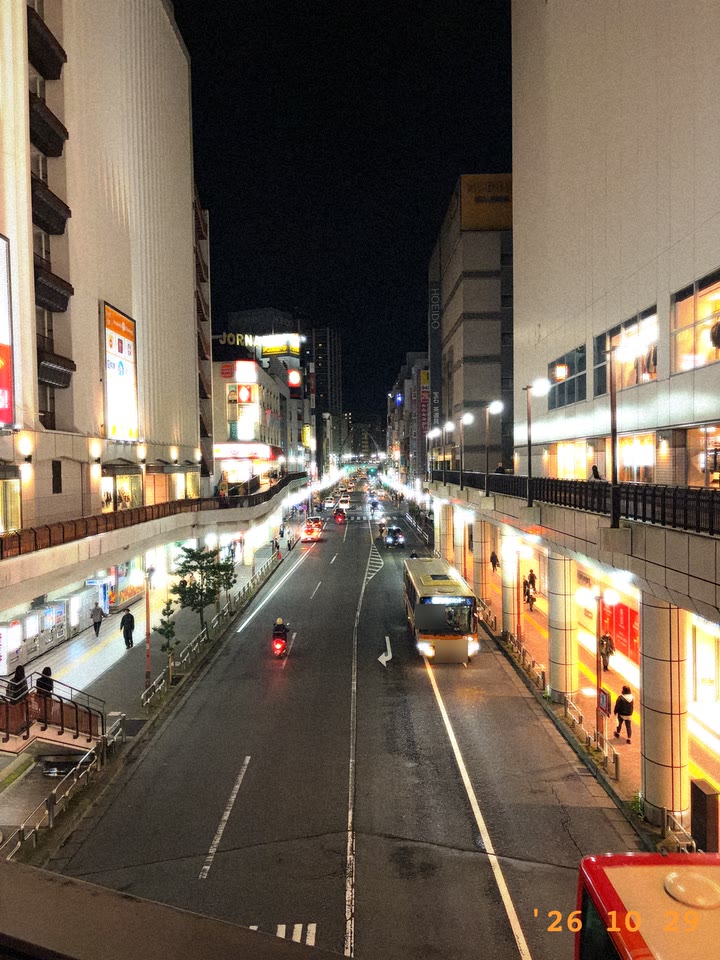
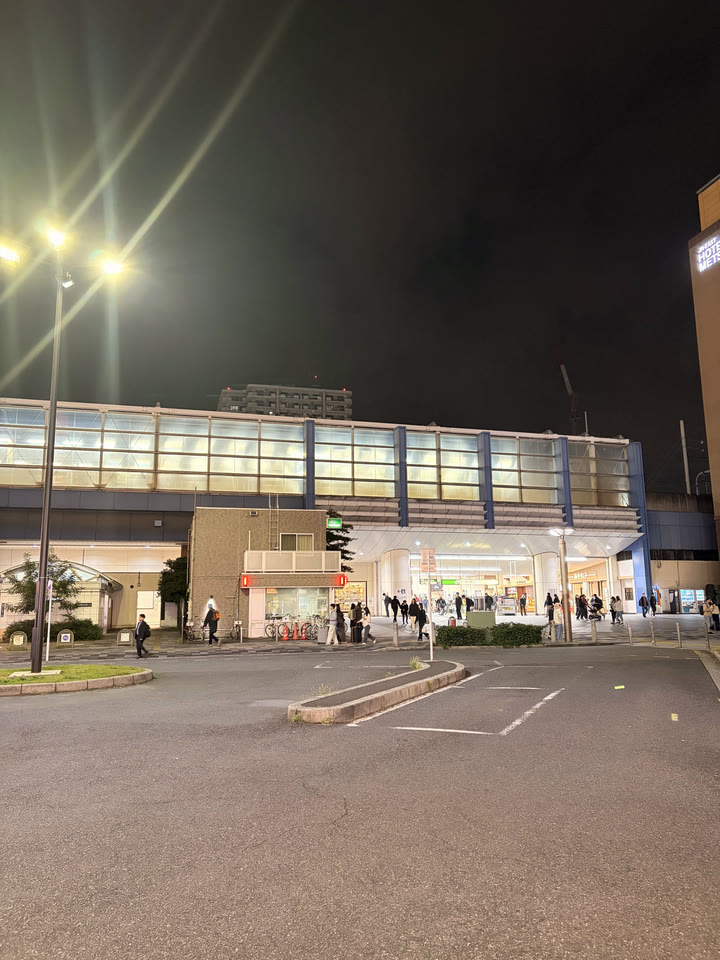
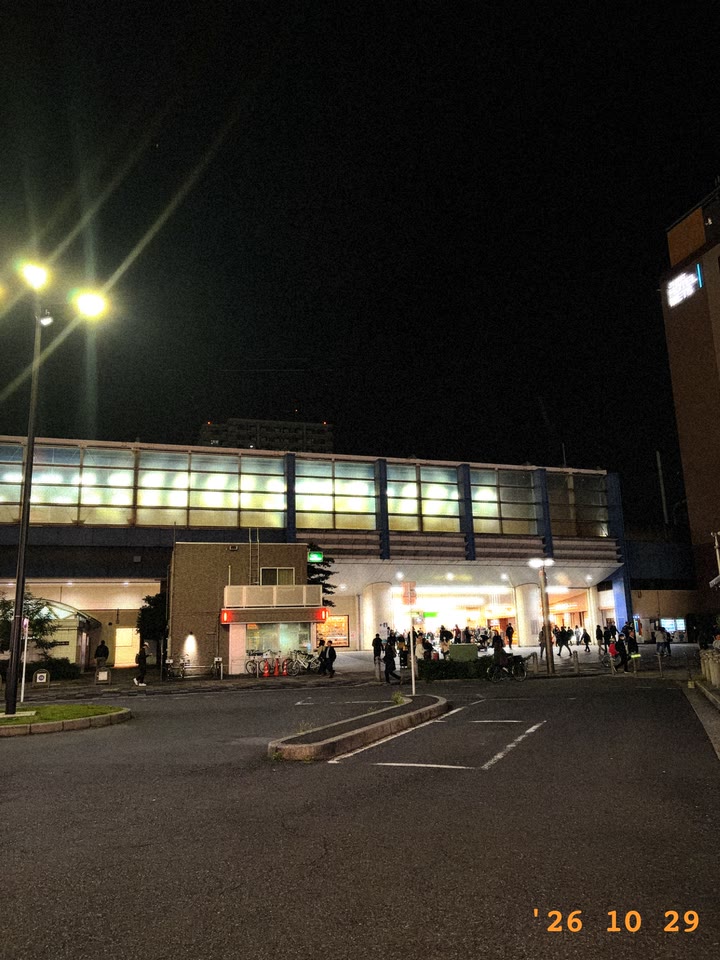
Method 1: the iPhone Camera app on its own
- Tap the flash control above the frame, or in the camera tools, and set it to On instead of Auto. That also turns Night mode off, which is what you want here.
- If you'd rather skip the flash, turn Night mode off yourself. It switches on by itself in low light; tap the Night mode button and the scene stays darker, closer to what a small camera saw.
- Tap where you want to focus, then drag the exposure control, the small sun beside the focus box, down until the shadows look properly dark.
- Get close. Phone flashes, like the old compact ones, only reach a few steps, so shoot people and things near you.
- Afterwards, in Photos, tap Edit, then Adjust, and bring Highlights or Brilliance down a touch. If the color still looks too clean, try a filter such as Vivid at low strength.
Two things won't come from the Camera app. There's no setting that prints the date on the photo; the date goes into the photo's details, which you can see by swiping up on it in Photos. And the processing that keeps iPhone photos sharp and evenly lit stays on, so the glow and softness from the first section are hard to get this way.
Method 2: a camera app that shoots the look
Digicam apps come in two kinds: some edit a photo after you take it, and others show the look in the viewfinder before you press the shutter. The second kind changes how you shoot, because you can see the glow and the dark sky while you frame.
Whichever you try, check four things: that you can see the look before you shoot, that it has a flash and a way to keep nights dark, that it can stamp the date, and how it charges. Some only let you shoot as much as you like after you subscribe.
Halfpress is the one I make. It has one camera, tuned to the compact CCD digicams people carried around 2003, so there's nothing to choose. You see the look in the live preview, and each photo goes straight to your camera roll. Along the top are the flash, Night, a 3, 5 or 10 second self-timer, and the date stamp, which prints in orange and which you can turn off. Night drops the exposure one stop, so street lights and signs keep their shape after dark. You can pinch to zoom up to 3x or switch to the front camera, then flip through your shots on an LCD-style playback screen and share from there.
The camera is free and stays free, and there's no weekly subscription. It works offline and doesn't use an account or analytics, and the privacy policy spells out that the app doesn't send your photos anywhere. Saved photos carry no location data, and the look changes color, grain, glow and softness without altering faces.
Method 3: an actual old digicam
If you want the real thing, compacts from the mid 2000s still turn up secondhand. Lens Lurker puts the typical resolution of this kind of camera at 5 to 12 megapixels, which is plenty for a phone screen. Before you buy one, check that the battery holds a charge or can be replaced, and find out which memory card it takes. Some use xD-Picture Card or Memory Stick, which most laptops can't read without an adapter. After that, you're carrying a second device and copying files off it before you can post anything.
This is how the three methods compare on the five things from the first section.
| Camera app only | Halfpress | Old digicam | |
|---|---|---|---|
| Flash on close subjects | Yes, with the flash set to On | Yes | Yes |
| Night stays dark | Yes, with Night mode off | Yes | Yes |
| The camera's own color | Partly, with a filter | Yes | Yes |
| Glow and softness | Hard to get | Yes | Yes |
| Date in the corner | No | Yes, in orange | Some models |
Habits that matter more than the filter
- Shoot at night or indoors, where the flash and the dark background show.
- Shoot people and places more than views; the flash does little for a skyline.
- Stay within a few steps of your subject.
- Take more than you need and skip the heavy editing.
- Keep the date on.
FAQ
Can you add a date stamp to iPhone photos without an app?
Not with the built-in Camera app. It saves the date and time in the photo's details, which you can see by swiping up on the photo in Photos, but it doesn't print them on the image. To get the date in the corner, use a camera app that stamps it as you shoot. Halfpress prints it in orange, and you can turn it off.
Is the digicam look the same as a film look?
They overlap, but they're different. Film looks usually lean on grain, faded contrast and the color of a particular film stock. The 2000s digicam look is harsher: flash on the subject, a dark background, bright signs that glow, and whatever color the camera maker built in. Plenty of apps offer both, so check which one an app is going for.
Do you need a CCD camera to get the digicam look?
Less than the name suggests. CMOS sensors became the more common type around 2007, which is why CCD sticks to this era. Alchemy Color, though, found the two sensor types much alike at turning light into a signal. It traced the familiar color to each maker's JPEG processing, and processing is something software can imitate.
If you try one thing tonight, set the flash to On and shoot someone across a table. If you want the color, the glow and the date without editing every photo, Halfpress does that part as you shoot, and it's free.